Hands-On SumSub Verification Log for Canadian Players
Every Canadian player must pass SumSub identity verification before a first payout is released at Here2Win casino. We logged exact document acceptance criteria, rejection triggers, and approval times so you clear KYC on the first try.
How the SumSub Verification Flow Works in Canada
Unlike manual compliance desks where documents sit in an email queue for days, SumSub performs automated optical character recognition (OCR) and biometric liveness checks within minutes before handing final AML sign-off to the operator's payments team. Completing this flow right after your initial deposit — rather than waiting until you request a cash-out — cuts up to 20 hours off your first payout window in our Canadian withdrawal speed benchmark.
Step 1 & 2: Provincial Driver Licence / Passport + Liveness
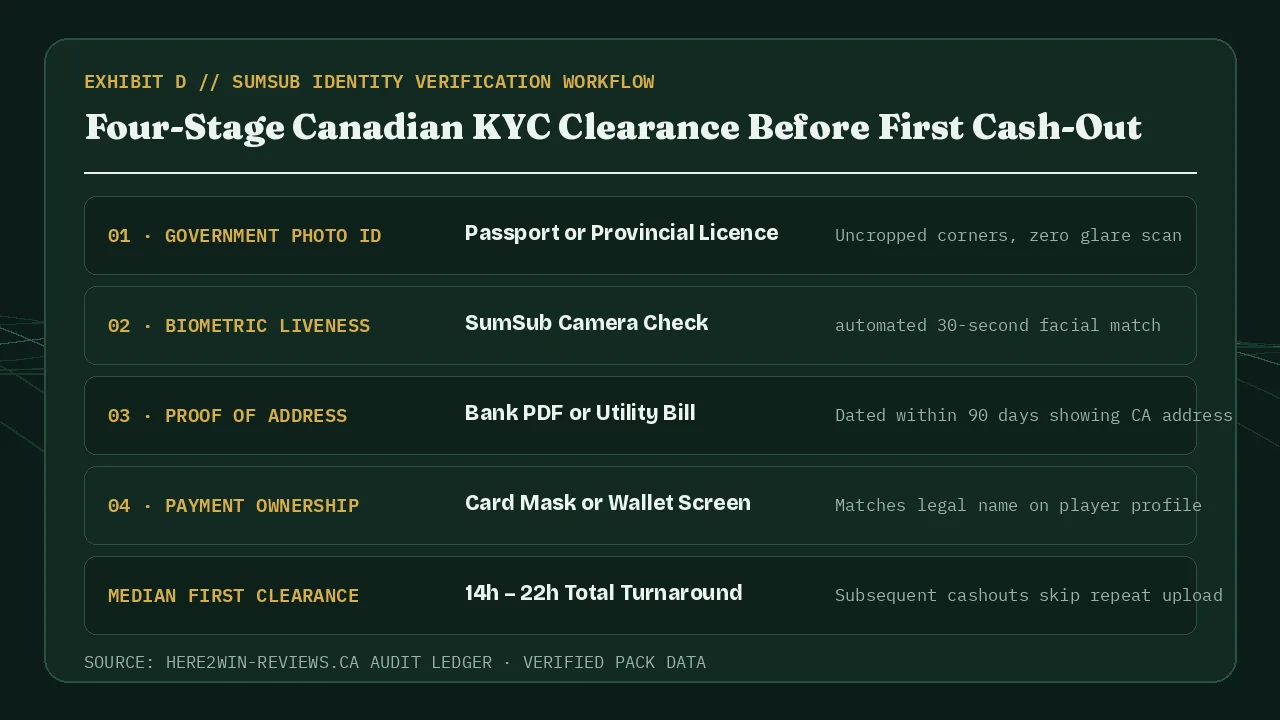
Canadian passports and provincial photo driver licences (Ontario, Québec, BC, Alberta, and Atlantic provinces) pass automated OCR smoothly provided polycarbonate hologram glare does not obscure your birth date or expiry date. Launching the check from iOS Safari or Android Chrome, as tested in our mobile experience review, lets you capture crisp rear-camera frames and complete the rotating selfie check in roughly 30 seconds.
Step 3 & 4: Why Screenshots Fail Canadian Proof of Address
Over half of all initial KYC delays stem from one preventable mistake: uploading a cropped phone screenshot of a banking app instead of a native PDF statement. SumSub inspects file metadata and page margins; always export the original monthly e-statement PDF from TD, RBC, BMO, Scotiabank, CIBC, or Desjardins (or a recent hydro/internet bill within 90 days). You can read a real timestamped turnaround of this exact fix in Case #CA-204 on resolving a 19-hour SumSub hold, or review our broader trust findings in our Canadian security and legitimacy audit.
Measured Stage Durations During First Cash-Out
| KYC Checkpoint | Elapsed Widget Time | Compliance Queue Sign-Off | Auditor Tip for Canadians |
|---|---|---|---|
| 1. Government Photo ID Scan | ~90 sec | Automated OCR | Tilt card 10 degrees to avoid overhead ceiling reflection on provincial holograms. |
| 2. Facial Liveness Check | ~35 sec | Automated Match | Remove hats/glasses and face natural window light. |
| 3. 90-Day Address PDF | ~60 sec | 12h – 19h Review | Ensure profile street address matches your bank PDF character for character. |
| 4. Repeat Withdrawals | 0 sec (Saved) | 1.6h – 5h Crypto | Token stays active unless your residential address or card changes. |
Bilingual Québec Statements, Joint Accounts & Digital Banks
Canadian banking paperwork varies slightly across provinces, and knowing how SumSub parses local templates saves hours during your initial cash-out. French-language monthly PDF statements issued by Mouvement Desjardins, National Bank, or Hydro-Québec are accepted without translation provided your full legal name, street address, and statement date within the last 90 days appear clearly on page one.
Players banking with digital-first Canadian institutions such as Tangerine, Simplii Financial, EQ Bank, or Wealthsimple should download the formal monthly account statement PDF from the Documents tab rather than exporting a CSV transaction list. If you hold a joint household chequing account, ensure your own legal first and last name appear in the primary account-holder header block so compliance never pauses your payout for third-party ownership clarification.
Once SumSub marks your identity and address verified, avoid changing account profile fields casually; updating a residential postal code after moving across provinces naturally triggers a fresh address-proof check prior to your next disbursement.